

EAN:4260195435902
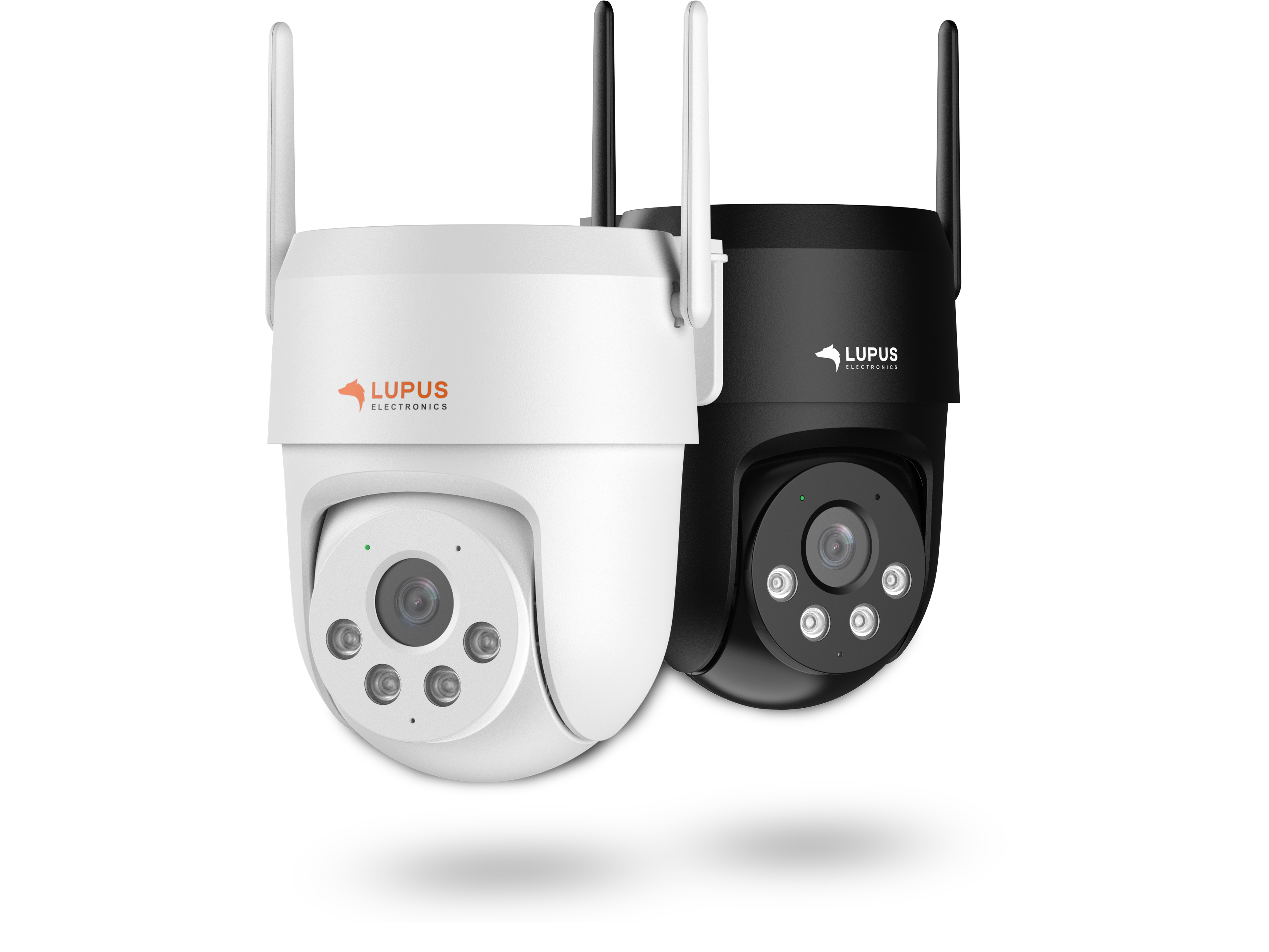
LUPUS - LE213 WLAN (black)
- Description
-
LUPUS - LE213 Alarm Camera
The new LE213 is more than just a surveillance camera, it is your personal security guard.


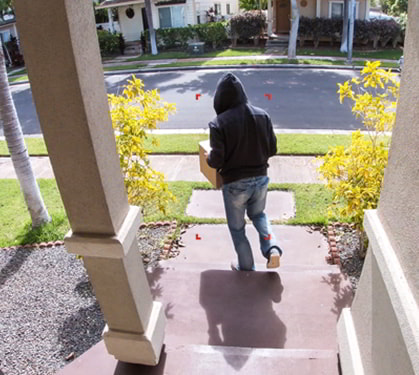
Automatic person detection, intruder communication, and alarm notification.
The new LUPUS – LE213 Alarm Camera combines the proven strengths of LUPUS IP cameras with a variety of new features. It is the first camera that actively protects your property and proactively prevents unauthorized entry through intruder communication. This is made possible above all by its intelligent motion detection, meaning specific and exclusive detection of humans.
Instead of simply recording what happens, the LUPUS – LE213 Alarm Camera actively counters unauthorized entry in three individually configurable escalation steps.
Automatically detect, address, and alert unauthorized persons.

First, an audio message is played, clearly pointing out the unlawful action of the intruder.

If this is not sufficient, a second message is played and an additional white floodlight is activated.

The third stage then triggers an alarm via a siren at around 85dB.
Listen to a demo of a serious audio announcement
Listen to a demo of an Action Hero announcement
For the audio messages in stages one and two, you can choose from 33 predefined announcements or upload customized ones to the camera.
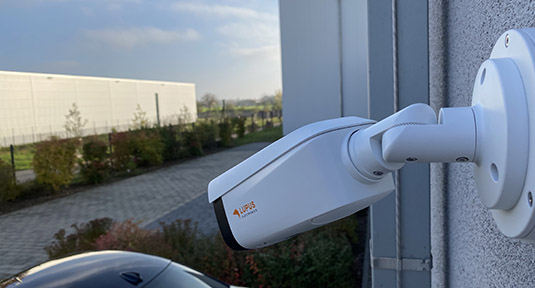
The new LUPUS – LE213 Alarm Camera features a 3MP resolution (2304×1296 pixels), WiFi 6, IP66 protection class for outdoor use, as well as functions such as floodlight, audio announcements, and a siren to actively deter burglars. Thanks to AI detection, people or vehicles can be tracked across a 360° field of view and addressed directly. The extremely light-sensitive CMOS sensor also ensures that you still get a detailed color image from the LUPUS – LE213 Alarm Camera even at 0.01 lux.
Unique is also the 2-way communication with our alarm systems: Activate the camera’s alarm functions in the event of a break-in (e.g. floodlight, siren, audio announcements, recording, etc.) or in daily life via home automation rules, or via schedule (e.g. turn on light at night when motion is detected). Conversely, the camera informs the control panel about events (person/vehicle detection) and triggers a home automation rule (e.g. the control panel activates SONOS speakers and plays dog barking).
- Tech. Data
-
LUPUS - LE213 WLAN (black)
Hardware
Image Sensor 1/2.8" CMOS Maximum Resolution 2304 × 1296 (3 MP) Minimum Illumination 0.01 Lux @ F2.0 (color, 30 IRE); 0.001 Lux @ F2.0 (B/W, 30 IRE); 0 Lux (IR/floodlight on) Illumination 2 (IR + flood light) Illumination Range up to 30 m IR; up to 30 m warm light Lens Fixed focal length, 4.0 mm, F2.0 Field of View Horizontal 83°; Vertical 45°; Diagonal 98° Manual Adjustment Pan 0°–345°; Tilt 0°–90°; Rotation 0°–345° Video & Audio
Video Compression H.265; H.264; H.264H; H.264B; MJPEG (substream only) Frame Rates Main stream: 2304×1296 @ 1–25/30 fps
Substream: 640×360 @ 1–25/30 fpsBitrate H.264: 32–6144 kbps; H.265: 32–6144 kbps Day/Night Switching Automatic (ICR) / Color / B/W WDR DWDR Motion Detection On/Off, 4 zones adjustable Image Rotation 0° / 180° Audio Built-in microphone and speaker Audio Compression G.711a; G.711Mu; PCM Network
Network Interface RJ-45 (10/100 Base-T) Wi-Fi IEEE 802.11 a/b/g/n/ac/ax (2.4 GHz & 5 GHz), WI-FI6 Compatibility ONVIF (Profile S, G, T) App Support LUPUS App for iOS and Android Storage
SD Card Slot MicroSD up to 256 GB (not included) Storage Options SD card Product Data
Sound Detection Yes Certifications CE Power Supply 12 VDC (±30 %) Operating Temperature –30 °C to +55 °C Operating Humidity ≤ 95 % (non-condensing) Protection Class IP66 Reset Button Available Housing Material Plastic Dimensions (L × W × H) 125.4 × 110 × 140.3 mm Weight 0.4 kg Scope of Delivery
Camera Manual 12V Power Supply LUPUS SmartVision Software - Videos
-
- Downloads
-
DesignationTypeSizeDateDescriptionDatenblatt - LUPUS LE213 WLAN (black)PDF457 KB4.2.2026Datenblatt - LUPUS LE213 WLAN (black)Konformitätserklärung - LE213 (black)PDF292 KB4.2.2026Konformitätserklärung - LE213 (black)Aktuelles Handbuch - LUPUS LE 202 + LE 204 V3 / LE 213PDF4.27 MB8.10.2025Aktuelles Handbuch - LUPUS LE 202 + LE 204 V3 / LE 213. Version 1.3Software - Lupus IP Finder für Mac OSPKG235 KB29.4.2021IP Kamera Finder zum Suchen und Einrichten der Lupusnet HD Kameras, Rekorder + LUPUSEC Alarmzentralen Version 1.3Software - Lupus IP Finder für WindowsZIP5.2 MB24.2.2022IP Kamera Finder zum Suchen, Einrichten und Updaten der Lupusnet HD Kameras, Rekorder + LUPUSEC Alarmzentralen Version 1.0.13Software - SmartVision für Windows Version 2024ZIP82.07 MB29.10.2024Software - SmartVision für Windows V1.003.1005000.0.T.241021 Deutsch - Releasedatum 21.10.24Software - LUPUS SmartVision2 für MacOS VenturaGZ94.2 MB30.10.2023SmartVision Software für MacOS Ventura in Englisch. Vorraussetzung ARM Technonlogie!
- FAQ
-
Frequently Asked Questions 
LE 20x / 2xx - How do I integrate the live stream of my camera into my XT alarm panel?
Since firmware 3.0 the XT features a network search option. Simply start the network search in the menu "Smarthome" → "Camera", select your camera, and enter username and password.
A video manual (currently only in German) can be found hier.
Old method
NO LONGER NECESSARY WITH LATEST FIRMWARE
Open the menu "Network" -> "Cameras" in your XT alarm panel.
Enter a name for the camera and the following link and fill in the place holders.http://USERNAME:PASSWORD@IP-ADDRESS-OF-THE-CAMERA:PORT/cgi-bin/mjpg/video.cgi?channel=0&subtype=1
Beginning with the firmware with built date (10.8.2018), the following command is also possible (required for Chrome / Opera):
http://IP-ADDRESSE:PORT/cgi-bin/mjpg/video.cgi?channel=0&subtype=1&user=BENUTZERNAME&password=PASSWORTlast updated - 09/26/2025 last updated - 09/26/2025 What is the function of the buttons in the iOS App?
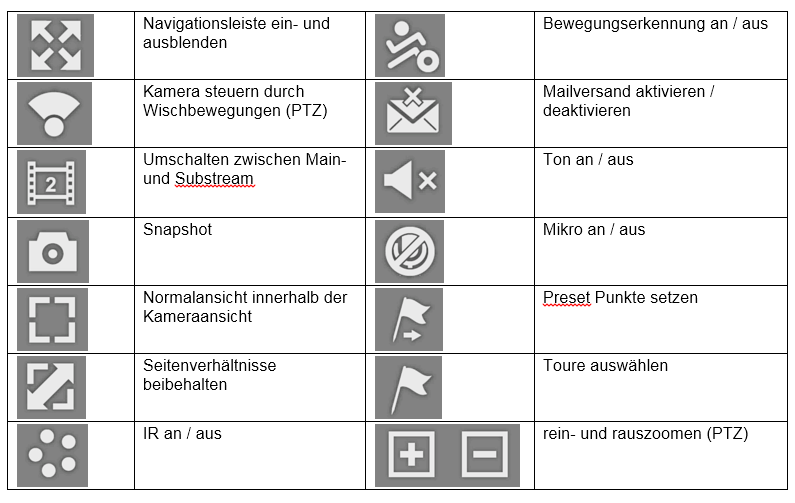
Hier eine Auflistung der Symbole in der iOS App und deren Funktion:
last updated - 09/16/2025 Show all FAQ's - Reviews
-
There are currently no product reviews.